

Snow Photography for Beginners: Camera Settings for Bright Snow Without Gray Photos
Snow tricks your camera into underexposing, so white landscapes come back gray. Here is how exposure compensation, metering modes, and the histogram fix that.

There is a particular disappointment that comes with the first good snowfall. You step outside early, the light is soft and blue, the whole street looks like a photograph already — and then the frames on your card are dull, flat, and a discouraging shade of concrete. Nothing is broken. Your camera is doing exactly what it was designed to do, and once you understand why, snow becomes one of the easiest subjects to shoot well.
This is not about buying anything or memorising a chart. It is about three controls and one habit: exposure compensation, metering, and the histogram. Learn those and you can walk into any winter morning and come home with snow that looks like snow.
Why Snow Turns Gray
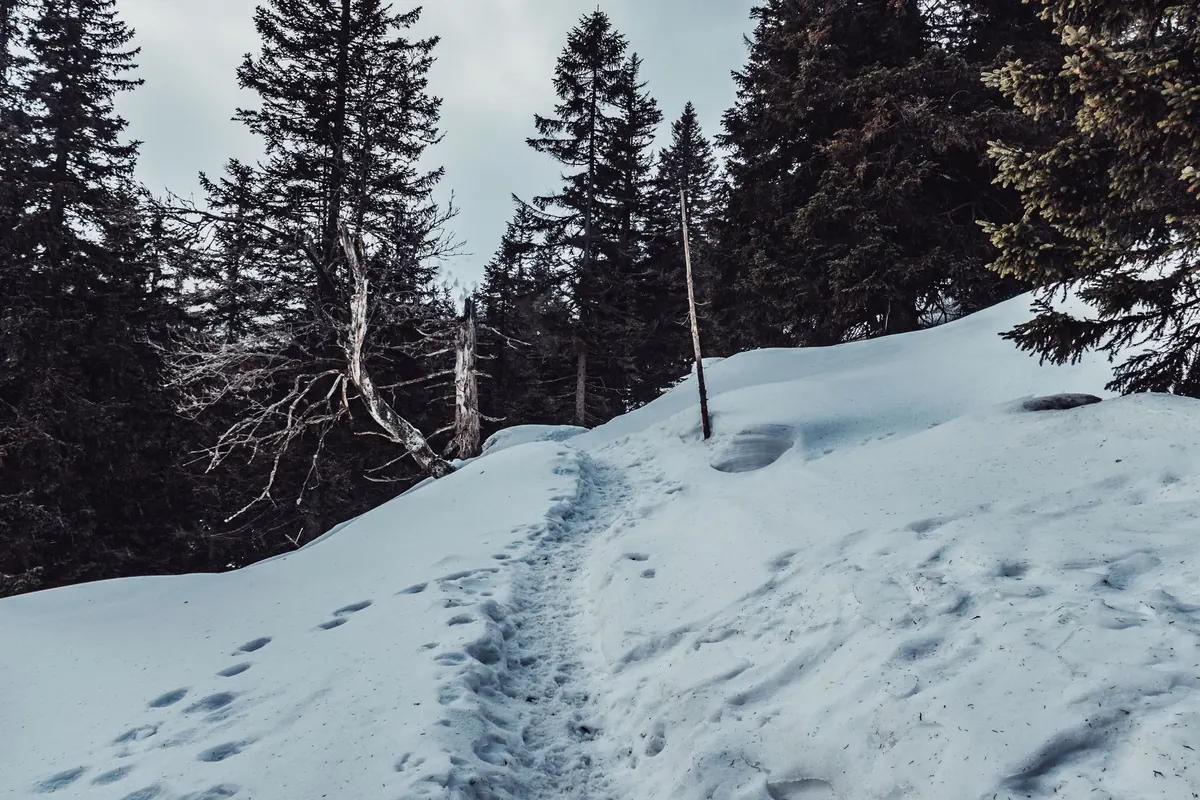
Your camera's light meter has one assumption built into it: that the world averages out to a middling tone. Not white, not black — something in the region of a gray card. Point it at a snowy field and it sees an enormous amount of light bouncing back, concludes that the scene is far too bright, and pulls the exposure down until that brightness sits at a comfortable middle. The snow becomes gray, and the sky and shadows go muddy with it.
Fresh snow reflects a great deal of the light that hits it — far more than grass, asphalt, or a person's face. In a frame filled mostly with snow, the meter is being lied to by almost everything it can see. The correction is simple: you have to tell the camera to trust you instead.
Exposure Compensation Is the Fix You'll Use Most
Exposure compensation is a dial or a button marked with a +/− symbol. Turning it toward plus makes the image brighter; toward minus makes it darker. On most cameras it adjusts in thirds of a stop, and in any semi-automatic mode — Program, Aperture Priority, Shutter Priority — the camera will simply pick a different shutter speed or aperture to honour your instruction.
For snow, you will spend most of your time between +1 and +2 EV. That is a big correction by normal standards, and it will feel wrong the first few times. Do it anyway, then check the result.
Starting points for common winter light
- Bright sun on fresh, untouched snow: start at +1.7 to +2 EV.
- Sun on trodden snow, plough edges, or a busy street: around +1 to +1.3 EV, since there is more dark material in the frame.
- Overcast, flat white sky: +0.7 to +1 EV. The light is softer but the meter is still fooled.
- Snow in open shade, or a blue-hour scene: +0.3 to +0.7 EV.
- Night snow under streetlights: start at 0, then read the histogram. Bright pools of artificial light change the maths quickly.
Treat those numbers as a first guess, not a rule. If half your frame is a dark pine forest, you need less compensation. If it is a white field under a white sky, you may need more.
Metering Modes in Plain Terms
The metering mode decides which part of the frame the camera measures. Most photographers leave it on the default and never think about it, which is fine — but knowing the options helps when the light gets awkward.
Evaluative or matrix metering reads the whole frame in segments and is the sensible default for landscapes. It still needs your plus compensation in snow, but it handles a bright sky over a darker foreground reasonably well.
Center-weighted metering gives more importance to the middle of the frame. Useful when your subject sits centrally and the edges are doing something distracting, such as a glaring patch of sunlit snow at the top of the frame.
Spot metering measures a small circle. This is the precise tool. Point it at something mid-toned — a tree trunk, a dark wool coat, a wet rock — lock the exposure, then recompose. Alternatively, meter the snow itself and add roughly two stops. Spot metering is also what saves you when a subject in dark clothing is standing against a field of brilliant white.
If you shoot with a mirrorless camera or in live view, switch on the exposure preview. Watching the screen brighten as you turn the compensation dial is the fastest feedback loop you will ever get.
The Histogram Is Your Snow Report
The histogram is a graph of tones, from pure black on the left to pure white on the right. Most beginners ignore it because it looks technical. It is not. It is simply a picture of how much of your image sits at each brightness, and it is far more honest than the screen on the back of the camera, which always looks different outdoors.
A well-exposed snow scene is right-heavy. The bulk of the data should sit toward the right side, ending close to the edge without piling up against it. If the graph stops well short of the right side, you have underexposed and have room to brighten. If it forms a tall cliff pressed against the right edge, you have clipped the highlights, and those areas are pure, detail-free white — pull the exposure back a third or two thirds of a stop.
Two habits make this easy. First, turn on the highlight warning, often called blinkies or overexposure alert; clipped areas flash on playback and in live view. A few blinking specks in sun glinting off ice are acceptable. Big flashing patches are not. Second, remember that a histogram is only valid for the frame it belongs to. When a cloud crosses the sun or you turn to face a different slope, take a new test frame and look again.
Snow wants to be bright. If your histogram barely reaches the right half, you have not photographed a winter morning — you have photographed a gray one.
A Twenty-Second Field Routine
- Set the camera to RAW if you can, and leave white balance on auto for now.
- Take one test frame of the actual scene, not of the sky.
- Check the histogram and the highlight warning.
- Adjust exposure compensation in thirds until the graph reaches toward the right without clipping.
- Shoot the picture you came for.
- Re-check whenever the light changes — a passing cloud, a slope turning out of the sun, or you moving into shade.
- When you are unsure, bracket: one frame at your setting, one a third brighter, one a third darker. Decide later, on a proper screen.
Beyond Exposure: Colour and Contrast
Once your snow is genuinely white, two smaller things separate a good frame from a flat one. The first is white balance. Snow in shade really is blue, because it is lit by the sky; that is not an error, and a slightly cool cast often looks more truthful than a perfectly neutral one. Auto white balance usually handles sun and overcast well. If the blue feels excessive, nudge the setting toward daylight and leave it there for consistency across a series.
The second is contrast. A uniform white field is a difficult subject, because there is nothing in it for the eye to hold on to. Look for texture: boot prints, fence posts, a red jacket, a single dark branch, long shadows raking across a drift in late afternoon. A lens hood helps on bright days, when stray light can wash out the edges of the frame, and a cheap microfibre cloth earns its place the moment you breathe on a cold viewfinder.
Practically speaking: keep a spare battery in an inside pocket, since cold drains them faster than you expect, and let your camera warm up slowly inside its bag when you come back indoors so condensation does not form on the lens and sensor.
Try It on the Next Snowy Morning
Find a scene you like and shoot it three times: at whatever the camera suggests, at plus one stop, and at plus two. Then look at the three histograms side by side. That single comparison will teach you more than any settings chart, because you will see your own camera's habits with your own eyes.
Snow is generous subject matter. It reflects light beautifully, it simplifies a messy landscape, and it forgives a little overexposure far more readily than it forgives being turned gray. Bias bright, watch the right edge of the graph, and let the morning be as white as it actually is.
Photo: MikuAalto / Pixabay